7 Clever Gadgets That Are Actually Worth It (2026)
A side-by-side look at clever gadgets for home, data and travel, from a wall-mounted heater to translation earbuds, built from each brand's official page to help you pick one.
Our picks
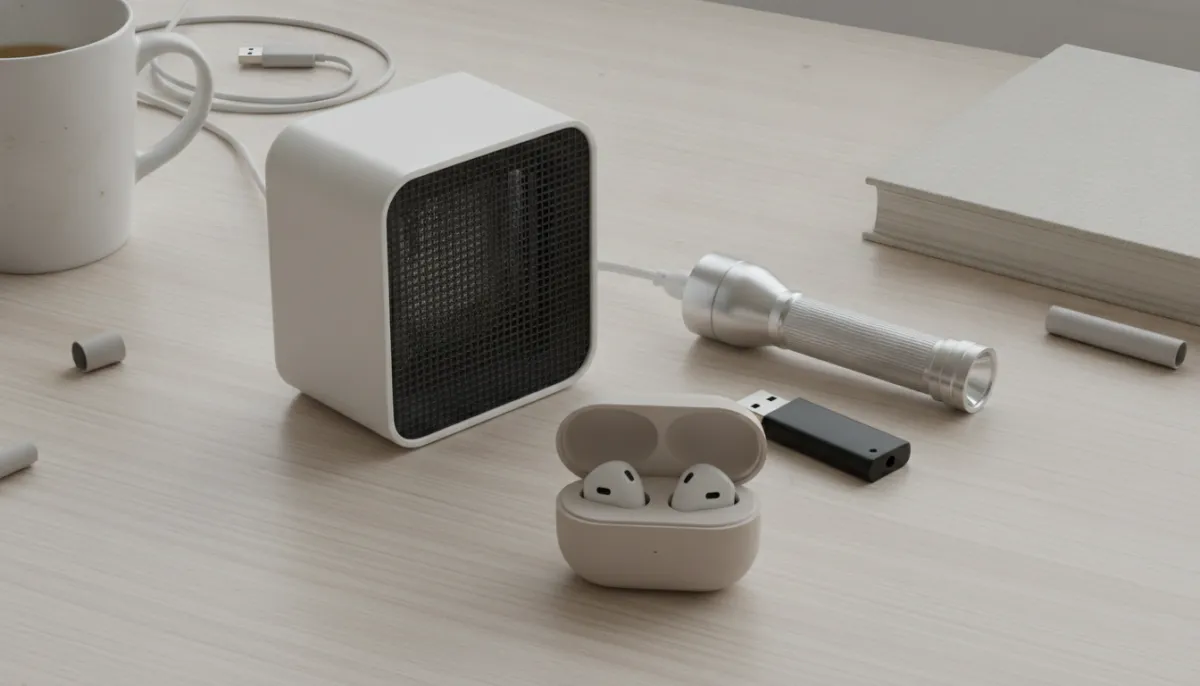
 Nova LuxAnyone who wants room heat without floor clutter or an installation job
- Omni DataSafePeople who want paperwork and passwords kept offline behind a PIN
 Synoshi PROAnyone who wants a battery-powered scrubber for tubs, tile and sinks
- GuideLightHallways, bathrooms and kids' rooms that need a no-fuss night light
- ThePhotoStick MobilePhone owners tired of storage full warnings who want a copy they can hold
 Ryoko PROTravelers and remote workers who want their own Wi-Fi with a SIM built in
- Talky AI BudsTravelers and multilingual households who also want everyday earbuds
How this list was made
The main trade-off in this group is how much setup a gadget asks of you. Some work the moment you plug them in or snap them on. Others need a phone app, a data plan, or a computer before they do anything useful. That difference matters more than any feature list.
This page is not based on our own testing. We have not bought, held or used any of these. The list was built only from each brand's official product page, so the specs are the brands' own and the bold claims are theirs too. We attribute those where a buyer cannot check them first. Read each pick for what it does, then check its limits against how you actually live.
Top pick
1. Nova Lux
Best for: Anyone who wants room heat without floor clutter or an installation job
Nova Lux is a plug-in ceramic heater that hangs on a wall or sits on a shelf, dresser or tabletop. Getting it off the floor matters in a small room, or anywhere pets and kids move around. Setup is a standard outlet and the included mounting accessories, with no electrician and no window vent.
A wireless remote and a touchscreen let you pick the mode, temperature and airflow without getting up. Nova Lux says heating starts in 3 seconds and a room warms in 5 minutes, which is best read as a top-end claim. Output runs 400 to 800W, it weighs 2.7 lb, and it has overheating auto shut-off. The limit is room size: coverage is listed as up to 549 sq ft, so a large open space may ask for more than this one gives.
Why it made the list
- Wall mounting keeps the floor clear
- Remote and touchscreen adjust temperature from your seat
- Plugs into a standard outlet, no installation needed
- Weighs 2.7 lb, so moving it is easy
Worth knowing
- Listed coverage tops out at up to 549 sq ft
- Must sit within cord reach of an outlet
- Heating only, with no other functions
Number 2
2. Omni DataSafe
Best for: People who want paperwork and passwords kept offline behind a PIN
Think of Omni DataSafe as a locked file drawer that fits in a pocket. It is a USB drive with a physical keypad, and your files stay unreadable until you type your PIN on the device itself. Encryption is AES-256, and the data is stored offline on the drive instead of in a cloud account.
Using it is simple: plug in, drag files over, and the data is encrypted when you remove the drive, the brand says. Built-in software organizes bills, assets, estate planning and passwords, so it suits anyone who wants household paperwork in one place. It works with Mac, Windows and Linux, and the page lists a document capacity of 600,000+. The trade-off is that everything lives on one physical device with no cloud copy, so decide where you will keep it.
Why it made the list
- PIN is typed on the device keypad itself
- Built-in software tracks bills, assets, estate plans and passwords
- Works with Mac, Windows and Linux computers
- Data stays offline instead of in a cloud account
Worth knowing
- All data sits on one physical device, no cloud copy
- Page gives a document count but no storage size
- Listed for Mac, Windows and Linux, not phones
Number 3
3. Synoshi PRO
Best for: Anyone who wants a battery-powered scrubber for tubs, tile and sinks
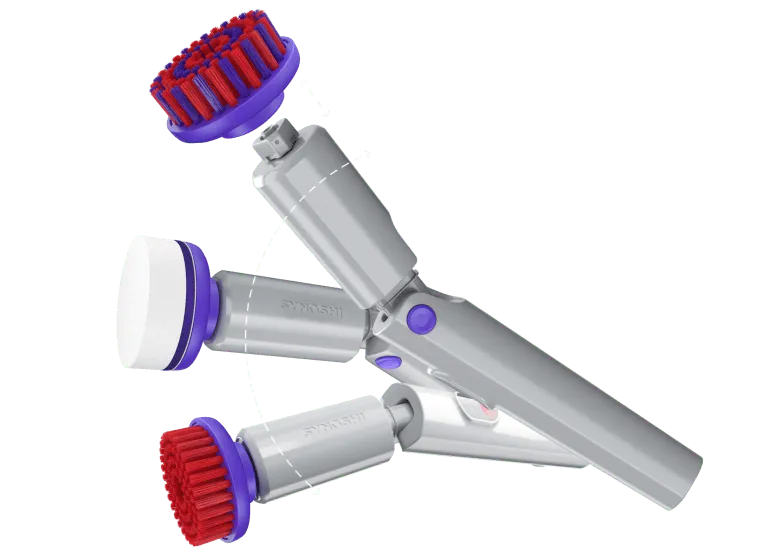
Synoshi PRO is a cordless spin scrubber, so the brush does the circling and you do the guiding. A 3-angle tilt head helps you get under fixtures and into corners, and the heads swap out quickly for different jobs. Synoshi says it takes on soap scum, limescale and hard water stains in minutes.
It charges over USB-C, and it is IPX5 waterproof certified, which makes shower and sink use realistic. The page lists stainless steel, soft surfaces and ceramic as surfaces it handles, and it also mentions pans, pots, bikes and footwear. The catch is the battery: runtime is listed as up to 2 hours per charge, so a long cleaning day means plugging in between jobs. It is also sold online only.
Why it made the list
- 3-angle tilt head reaches corners and fixtures
- USB-C charging works with a common cable
- Quick-swap heads suit different cleaning jobs
- IPX5 waterproof certification suits wet bathroom use
Worth knowing
- Battery runtime is listed as up to 2 hours
- Sold online only, not in stores
- Cleaning-time claims come from the brand, not independent checks
Number 4
4. GuideLight
Best for: Hallways, bathrooms and kids' rooms that need a no-fuss night light
GuideLight swaps a regular outlet cover for one with LED lights built in, so it works as a night light without using up an outlet. Both outlets stay free, which a plug-in night light cannot offer. To install, turn off the power, remove the old cover and snap GuideLight into place. There are no batteries, bulbs or wires.
The brand says it switches on automatically at night and that the LEDs last up to 25 years. The glow is described as soft rather than bright, which fits hallways, bathrooms and a kid's room where you want to see the floor without waking anyone. The limit is placement: the light can only go where an outlet already is, and it is a night light, not a lamp you can aim.
Why it made the list
- Both outlets stay free for plugs
- No batteries, bulbs or wires to replace
- Switches on automatically at night
- Snap-in installation after the power is off
Worth knowing
- Light stays wherever the outlet is located
- Installing means removing an outlet cover with power off
- Soft glow only, so it is not a task light
Number 5
5. ThePhotoStick Mobile
Best for: Phone owners tired of storage full warnings who want a copy they can hold
Phone storage full is the problem ThePhotoStick Mobile is built around. Download the free app, plug the stick into your phone, and tap Backup Now. There is a version for iPhone and one for Android, in 32GB, 64GB, 128GB and 256GB sizes.
The brand says the 256GB stick holds up to 120,000 photos and videos, though its own math assumes an average photo of 2MB, so large video files will fit far fewer. You can also plug the stick into a Windows or Mac computer and move everything over, which gives you a copy you can hold. Check compatibility first: Android phones must be OTG compatible, and the iPhone version needs a Lightning port with iOS 9.0 or later.
Why it made the list
- Free app and one tap on Backup Now
- Sizes from 32GB up to 256GB
- Moves files to Windows or Mac computers
- Separate iPhone and Android versions
Worth knowing
- Android phones must be OTG compatible
- iPhone version needs a Lightning port
- Photo counts drop with large files like video
Number 6
6. Ryoko PRO
Best for: Travelers and remote workers who want their own Wi-Fi with a SIM built in
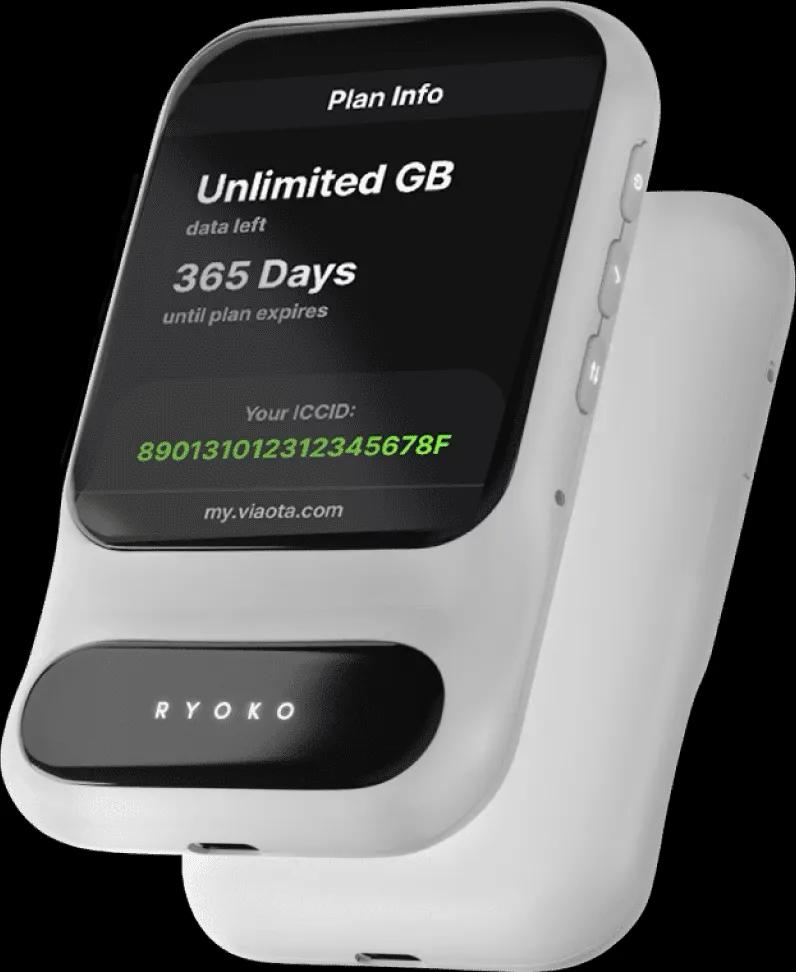
Ryoko PRO is a pocket-sized Wi-Fi hotspot with its own SIM, so your devices get online without hunting for a network. Press the power button, scan the QR code, and you are connected. Up to 10 devices can share it, from phones to laptops to a smartwatch.
Ryoko says it works in 133 countries and reaches speeds up to 150Mb/s. A built-in ad blocker also filters known malware and phishing sites. Battery life is listed as up to 8 hours of Wi-Fi, and it charges over USB-C with a cable in the package. The catch is data: the SIM comes with 500MB, so heavier use means topping up or choosing a plan on the order page.
Why it made the list
- Shares one connection across up to 10 devices
- Setup is power button, then scanning a QR code
- Ad blocker also filters known phishing sites
- Charges over USB-C with a cable included
Worth knowing
- Included SIM starts with 500MB, so heavy use needs top-ups
- Battery life is listed as up to 8 hours
- One more device to charge and carry
Number 7
7. Talky AI Buds
Best for: Travelers and multilingual households who also want everyday earbuds
Talky AI Buds are translation earbuds first and ordinary Bluetooth earbuds second. You tap, talk and hear the translation in your ear, and the brand says it covers 144+ languages in real time. Four modes cover different situations: in Free Talk each person wears one earbud for a two-way conversation, Touch Mode is tap to talk, Speaker Mode plays the translation from your phone, and Listening Mode translates speech around you.
The same earbuds handle music and calls, and the app is free with no subscription. Battery is listed as up to 18 hours with the charging case. The limit is that they rely on your phone and the app, and in Free Talk mode you hand one earbud to the other person.
Why it made the list
- Four modes for conversation, tapping, speaker and listening
- Free app with no subscription
- Doubles as Bluetooth earbuds for music and calls
- Charging case extends use to up to 18 hours
Worth knowing
- Translation depends on your phone and the app
- Free Talk mode means handing one earbud over
- Single-charge time is shorter than the case total
Clever Gadgets Worth Buying: what to look for
A clever gadget is only worth it if it solves a problem you actually have and fits the way you live. These are the factors that separate the picks on this page:
- Setup effort. The outlet light snaps on after the power is off, and the wall heater plugs into a standard outlet. The hotspot, the translation earbuds and the photo stick all involve a phone or an app, and the hotspot also needs a data plan, so decide how much setup you will really do.
- What it depends on. A SIM, a battery or a phone connection can limit when a gadget works. Check the page for compatibility, such as phone type, computer system or data plan.
- One job or two. A single-purpose tool is simple to judge. The translation earbuds also play music and calls, which may let one device replace another you already own.
- Where it will live. Outlet-based picks stay put and depend on where your outlets are. A drive, a stick or a hotspot travels with you, so think about carrying and charging it.
- Claims versus specs. Speed, timing and coverage figures come from the brands. Treat them as best case, and look to the manual or listing for the exact details before you buy.
Questions and answers
Can I install a wall heater or outlet light myself?
The brands describe both as no-electrician jobs: the heater plugs into a standard outlet, and the outlet light snaps over an existing cover. For the outlet light, turn the power off first. If you are unsure about your wiring or wall, check the manual before you start.
How should I store an encrypted USB drive?
Keep it somewhere you will not lose it, such as with your important papers, and keep your PIN in your head or in a separate safe place. Because an offline drive has no cloud copy, treat it like a house key. Check the manual for care tips.
How long do rechargeable gadgets last?
Listed runtimes, such as battery hours, describe one charge, not the life of the product. Real lifespan depends on how often you use and charge it, so check the manual or listing for care guidance. Charging with the cable that came in the box is a sensible habit.
Do translation earbuds work without internet?
Check before you rely on it. The Talky AI Buds page lists an offline translation feature but does not spell out how it works or which languages it covers, and the main translation uses an app. Read the listing or manual first if you are heading somewhere with poor signal.
Is a phone backup stick better than the cloud?
Neither is better for everyone. A stick gives you a copy you can hold and does not depend on an account, but you have to plug it in and run the backup yourself. A cloud service usually works in the background but depends on an account. Some people use both.
What should a first-time buyer check on a travel hotspot before ordering?
Check the data plan first, since the device is only as useful as the data behind it. Look at how much data is included, how you top up, which countries are covered, and how many devices can connect. Then read the manual for setup.
More lists
All lists
Top 5 Best Digital Picture Frames (2026)
Digital picture frames compared by sharing app, screen size, storage and gift setup. Built from Amazon listing data and buyer reviews, with a clear note on who each frame suits.
Top 5 Best Karaoke Machines (2026)
Karaoke machines compared by how you sing and play music: wireless mics, discs, battery and sound controls. Picks cover kids, living rooms, backyards and party hosts.
Top 5 Best Portable Printers (2026)
These portable printers range from sticker-photo minis to a letter-size document printer. We compare them using Amazon listing data and buyer feedback.